
PayTo (Pay with Bank).
PayTo (Pay with Bank) is a better way for agents to accept bank payments using your customer payment link. It gives customers yet another way to pay, removing payment friction and modernising bank-to-bank payments. We built this latest payment innovation using PayTo technology.
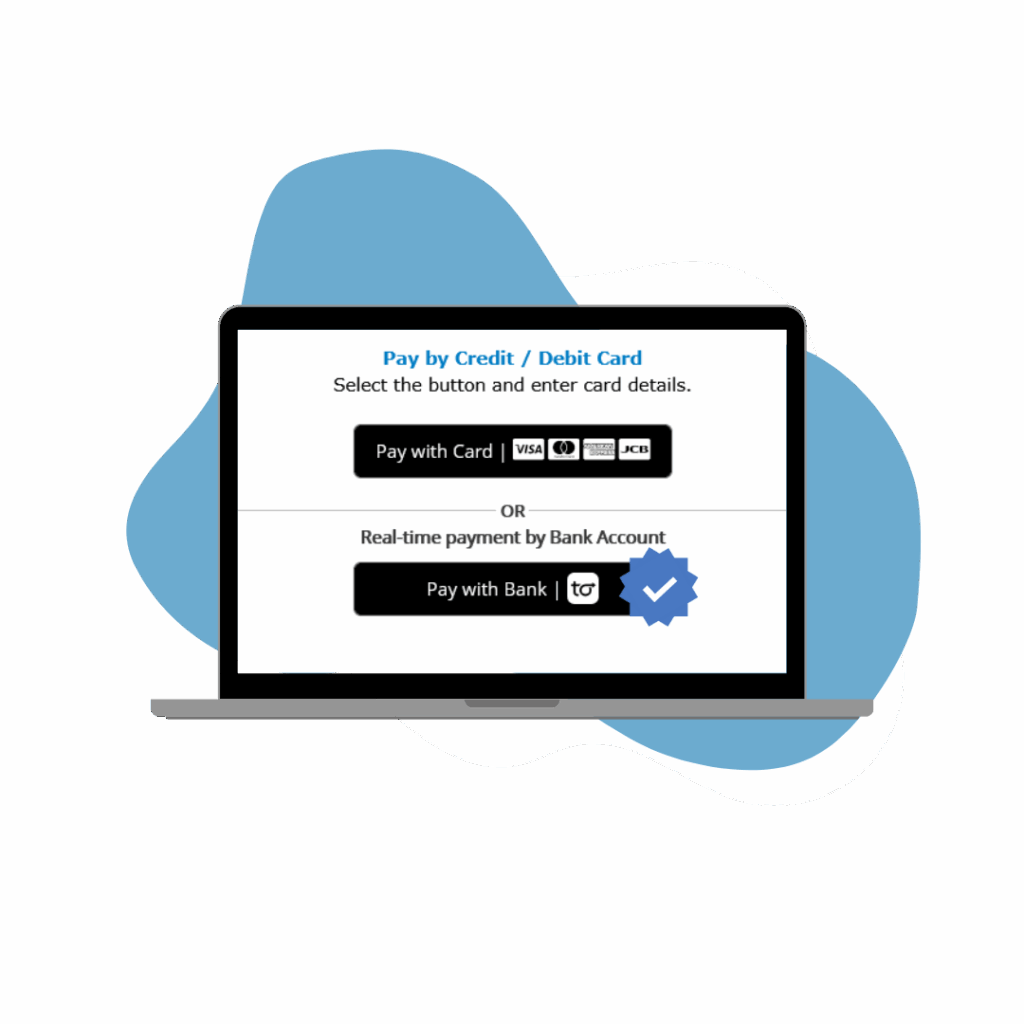
Bank and card payments, one platform.
PayTo sits alongside card payments in the TravelPay customer payment link you already send.

All in one
One secure payment platform to accept both bank and card payments.

Visibility
PayTo transactions are recorded and accessible via the TravelPay platform.

Easy verification
Customer authorisation means bank accounts are quickly and accurately validated.

Your customers stay in control.
Full control
Customers can review and authorise payments in their internet or mobile banking app.

Real-time updates
Customers receive notifications from their banking app.

Robust security
Payments are processed through a secure environment (online banking), which reduces fraudulent transactions.
From payment link to paid, in four steps.
Once you have PayTo (Pay with Bank) set up with TravelPay:
Customer chooses Pay with Bank
The customer chooses “Pay with Bank | PayTo” in the agent’s customer payment link and enters their bank account details. This triggers an authority (a PayTo Mandate) to debit their bank account.
Notification to approve
The customer receives a notification to approve the payment in their secure internet or mobile banking app.
Authorise within 15 minutes
In their app, the customer views and authorises the payment. They have 15 minutes to complete authorisation before the authority expires. Once authorised, the funds are transacted.
Visible in your history
Once the payment is processed, the merchant can view it in their payment history. Funds settle next business day.
*Important information
A business must be a Qantas Business Rewards Member to earn Qantas Points for business. A one-off join fee of $89.50 including GST normally applies, however this will be waived for TravelPay agents using this link. Membership and Qantas Points are subject to the Qantas Business Rewards Terms and Conditions. Qantas Points for business are offered under the TravelPay Merchant Terms and Conditions. TravelPay agents earn 1 Qantas Point for every $50 of customer payments made by customers using VISA, Mastercard or American Express that are transacted using eligible TravelPay payment solutions. All offers exclude failed or refunded payments and may not be available to businesses on enterprise or special pricing plans. Qantas Points will be credited to the Members’ Business Rewards account 90 days in arrears following the eligible spend. Any claims in relation to Qantas Points under this offer must be made directly to TravelPay by emailing info@travelpay.com.au. Travel agents must ensure that the ABN registered with Qantas Business Rewards is the same ABN used on their TravelPay portal in order to earn Qantas Points.
Add PayTo to your payment link.
Tell us about your agency and our Mascot-based team will help you get set up with PayTo (Pay with Bank) on TravelPay.
Mascot, Sydney
Phone(02) 9556 7580
Monday to Friday, 9am to 5pm Sydney time